Dealmood & Solutions logo
Dealmood & Solutions
Developer toolsChrome & EdgeEarly access

WEB AUDIT PRO

A complete website audit, in one click, right from your browser.

SEO, performance, eco-design, accessibility, security, compliance and conversion: the Web Audit Pro extension for Chrome and Edge puts a website through 15 analyzers. The analysis and the AI run on your computer, without sending your data to any third party.

100% local analysis and AINo data sent to third parties6 local AI models
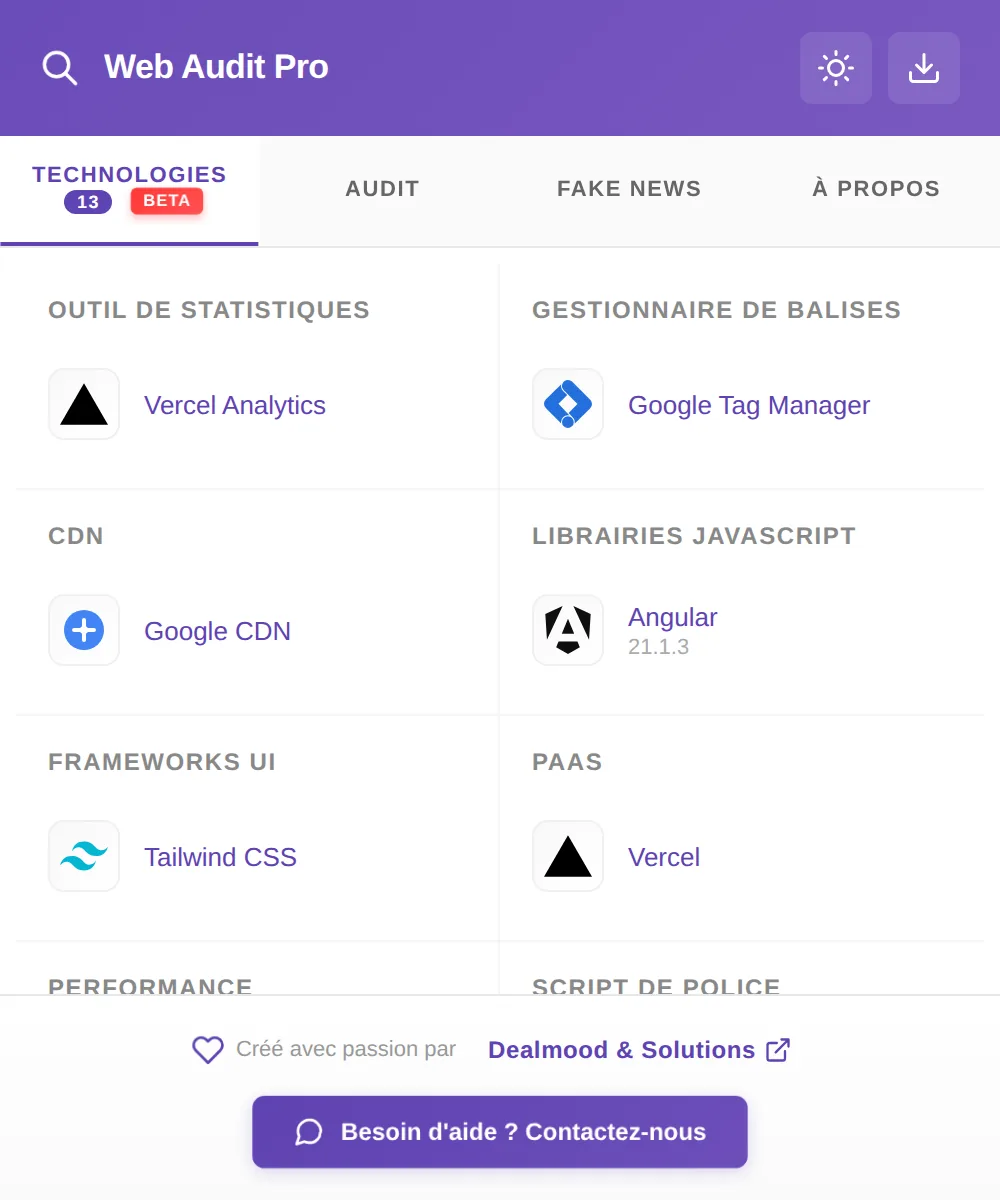
Web Audit Pro: technologies detected on dealmood-solutions.com (Angular, Tailwind CSS, Vercel…)
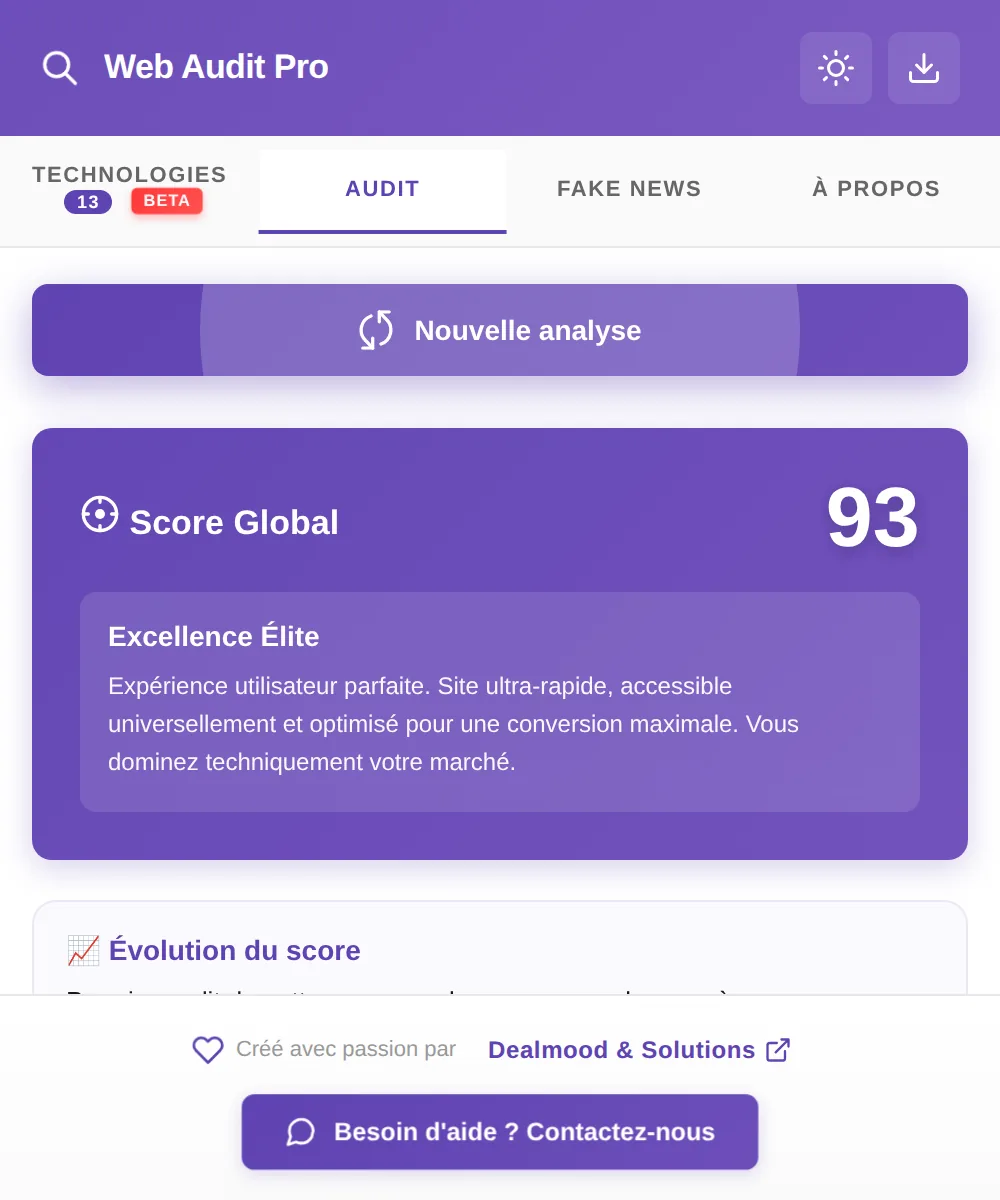
Web Audit Pro: overall score of 93 out of 100 for dealmood-solutions.com

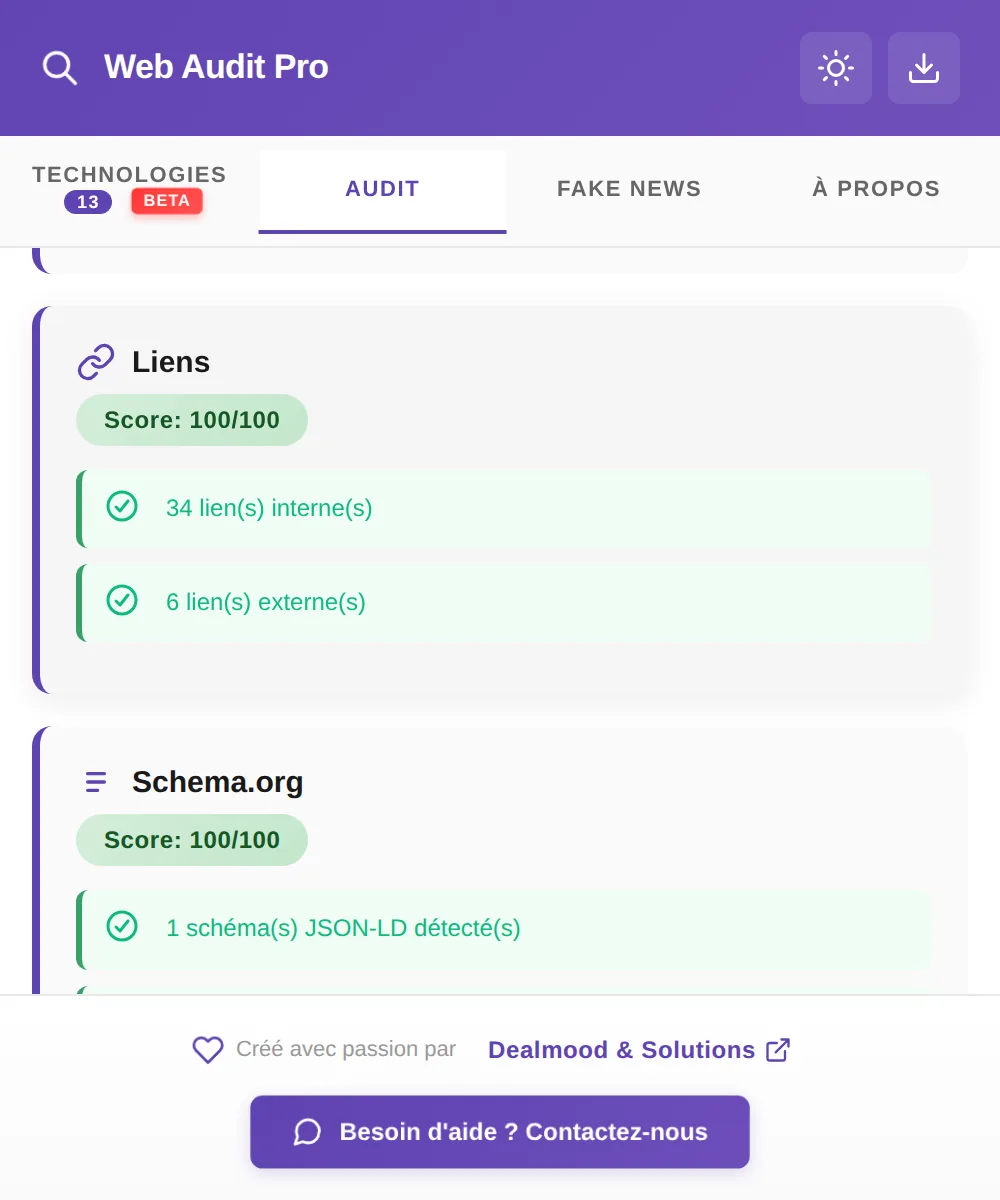
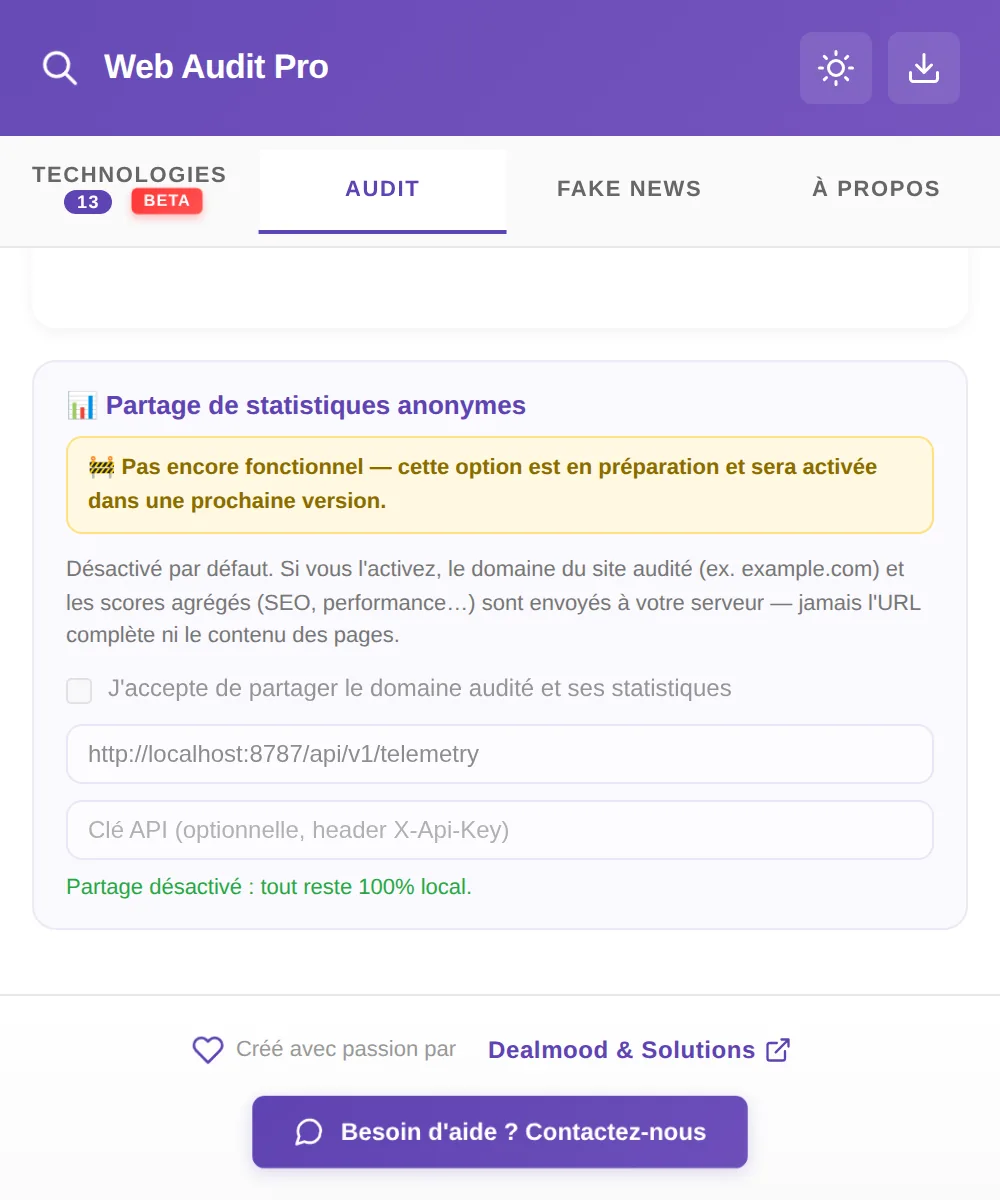
Real screenshots of the extension — audit of dealmood-solutions.com

The reality

Auditing a website today
means juggling too many tools.

SEO, performance, accessibility, security, compliance: every aspect of a website has its own tool, often paid, often hosted somewhere other than your own systems.

Scattered tools

SEO here, accessibility there, security and compliance somewhere else: auditing a whole website means juggling lots of tools and just as many tabs.

Data that ends up in the cloud

Most online scanners send the URL, and sometimes the content, of your pages to third-party servers before giving you an answer.

Results that are hard to present

Scattered technical scores don’t make a report: you still have to pull them together to share them with a client or a team.

The Web Audit Pro promise

Web Audit Pro isn’t yet another cloud service. It’s an audit engine installed on your computer, backed by built-in AI, to analyze a website inside out without ever exposing your data to a third party.

The analyzers

15 analyzers, one single click

With one click on the extension icon, Web Audit Pro analyzes the website open in your browser: from technical aspects to content, from legal compliance to the page’s ability to convert visitors. Here is what gets checked, analyzer by analyzer.

What used to take half a dozen tools now fits into a single click.

01SEO

SEO

The SEO fundamentals of the page.

  • Title tag present, of the right length and without repeated words
  • Meta description present and of suitable length
  • A single H1, with H2s to structure the content
  • Images with missing or empty alt text
  • Complete Open Graph tags, canonical tag, page not blocked by “noindex”
  • Presence of internal links
  • Keyword stuffing detected by the local AI in the title, description and H1
02SEO

Structured data

What search engines understand about the page.

  • Detection of JSON-LD and microdata
  • Invalid JSON-LD
  • No Schema.org markup at all
  • Missing common types: organization, web page, article…
03SEO

Links

Broken links that hurt the user experience and SEO.

  • Live testing of up to 30 links on the page
  • Redirects followed, each one revalidated by the SSRF protection
  • Number of broken links, from low to critical
04Performance

Performance

What slows down loading in the browser.

  • Number of external scripts and unminified libraries
  • Number of stylesheets and inline scripts
  • Number of images, very high-resolution images and outdated formats (BMP, TIFF)
  • DOM size
  • Use of a CDN and modern formats, rewarded
05Performance

Network

The server’s response, measured for real.

  • Measured server response time (TTFB), with the related business case
  • HTTP version in use: 1.1, 2 or 3
  • HTML compression (Brotli, Zstd or Gzip)
  • HTML size and cache headers
  • Estimated number of requests
06Performance

Image weight

The images actually downloaded, weighed one by one.

  • Actual file size of up to 12 images
  • Total image weight on the page
  • Oversized images, flagged by threshold
  • JPEG and PNG convertible to WebP or AVIF; modern formats rewarded
07Eco-design

Eco-design

The environmental footprint of a visit, based on the EcoIndex method.

  • Official EcoIndex calculation from 3 measurements: DOM size, requests and data transferred
  • Data transferred measured in the browser when possible, estimated otherwise
  • Grade from A to G
  • Greenhouse gas emissions (gCO₂e) and water consumption per visit
  • One practical tip per measurement
08Accessibility & content

Accessibility

The most common barriers for people with disabilities.

  • Page language declared and valid
  • Images without alt text
  • Buttons without accessible names and form fields without labels
  • Navigation landmarks and skip link
  • Suspicious contrast, forced tab order, hidden keyboard focus
  • Empty ARIA attributes
09Accessibility & content

Readability

How easy the text is to read.

  • Flesch readability score and reading level, from “primary school” to “university”
  • Word and sentence count
  • Overly long sentences
  • Complex words and average number of syllables
10Accessibility & content

Content credibility

The editorial tone, assessed by the local AI.

  • Clickbait tone in the title, description and section headings
  • Distinction between attention-grabbing tone and outright sensationalism
11Security

Security headers

The protections declared by the server.

  • Content-Security-Policy, X-Frame-Options and HSTS
  • X-Content-Type-Options, X-XSS-Protection
  • Referrer-Policy and Permissions-Policy
  • Error or timeout during the check
12Security

SSL / TLS

The strength of the encrypted connection.

  • Protocol version: TLS 1.3, 1.2 or older
  • Valid certificate chain and issuer
  • Expired or soon-to-expire certificate
  • Detailed HSTS: max-age, subdomains, preload
  • HTTP to HTTPS redirect
13Compliance & best practices

Best practices

The standards of the modern web.

  • Website served over HTTPS, with no mixed content
  • Meta viewport present and zoom allowed
  • Character encoding declared, in UTF-8
  • DOCTYPE present
  • Consistency between title and H1
  • Debug messages left in the code
  • Meta robots “nofollow”
14Compliance & best practices

GDPR / nFADP (indicative)

Data protection compliance signals.

  • Consent banner, among 17 recognized platforms
  • Trackers active without a banner, among 9 recognized trackers (analytics, ad pixels, session recording…)
  • Privacy policy and legal notice or Impressum
  • Forms submitted without HTTPS
  • Disclaimer: this check is not a substitute for legal advice
15Business & conversion

Business & conversion

The page’s ability to turn a visitor into a customer.

  • H1 used as a clear value proposition
  • Call-to-action button detected in French and English
  • Trust signals: reviews, guarantees, security badges
  • Urgency or scarcity cues, visible prices
  • HTTPS and meta description

11 categories in the report

The 15 analyzers run in parallel, isolated from one another: if one fails, its category shows “Analysis unavailable” and the others carry on. Each analyzer starts at 100 and deducts points for every issue found. Results are grouped into 11 categories, each with its own color code (excellent, good, average, poor) and its list of issues.

  • 01SEO
  • 02Structured data
  • 03Links
  • 04Performancecombines performance, network and image weight
  • 05Eco-design
  • 06Accessibility
  • 07Readabilitycombines readability and content credibility
  • 08Securitycombines security headers and SSL/TLS
  • 09Best practices
  • 10GDPR / nFADP
  • 11Business & conversion

In pictures

The extension, in real-world use

An audit of our own website, dealmood-solutions.com, as the extension displays it in the browser.
Web Audit Pro: overall score of 93 out of 100
Overall scoreA score out of 100 and a rating, recalculated with every analysis.
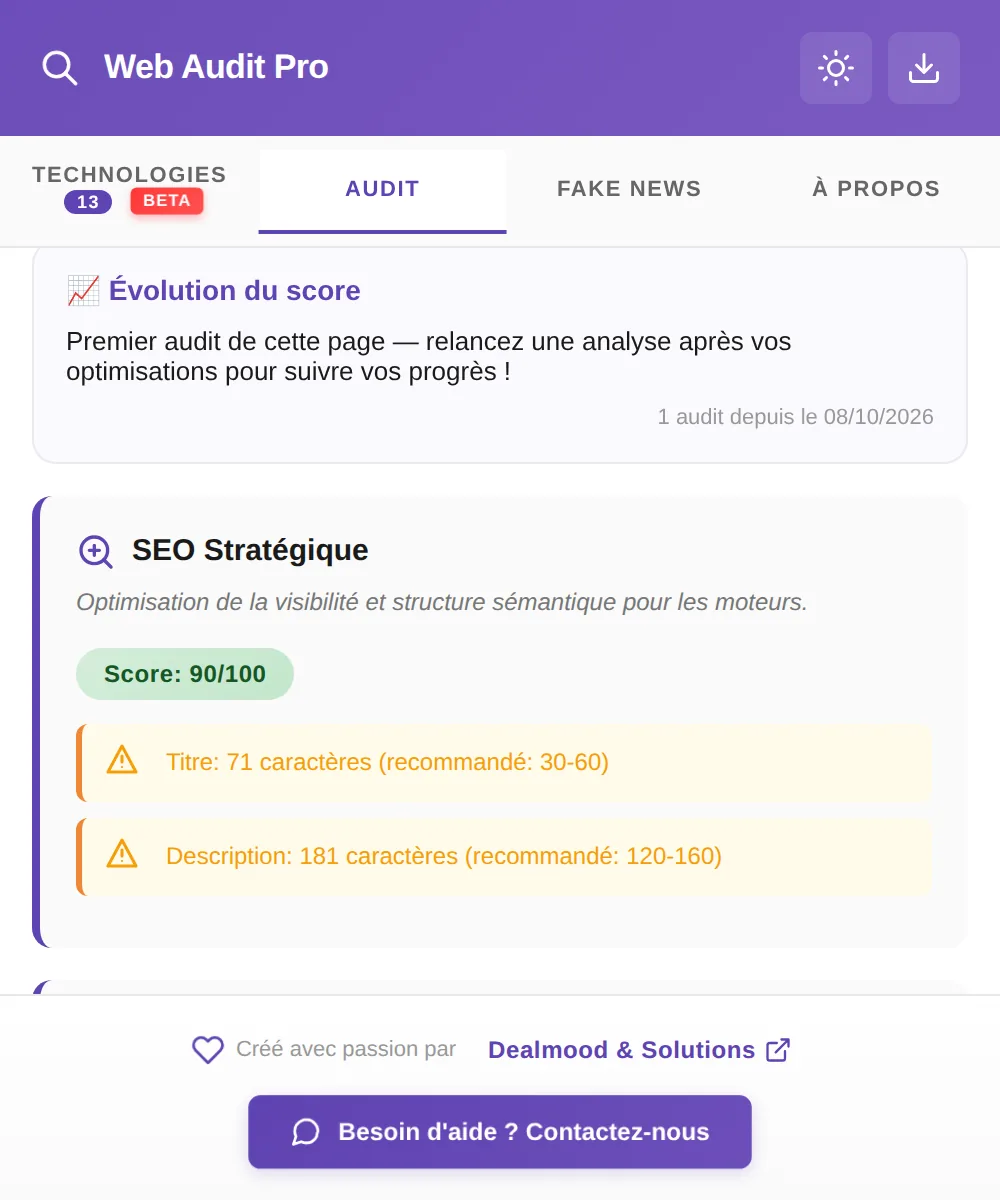
Web Audit Pro: SEO analysis with recommendations on the title and description
Strategic SEOTitle and description length, with the recommendation to follow.
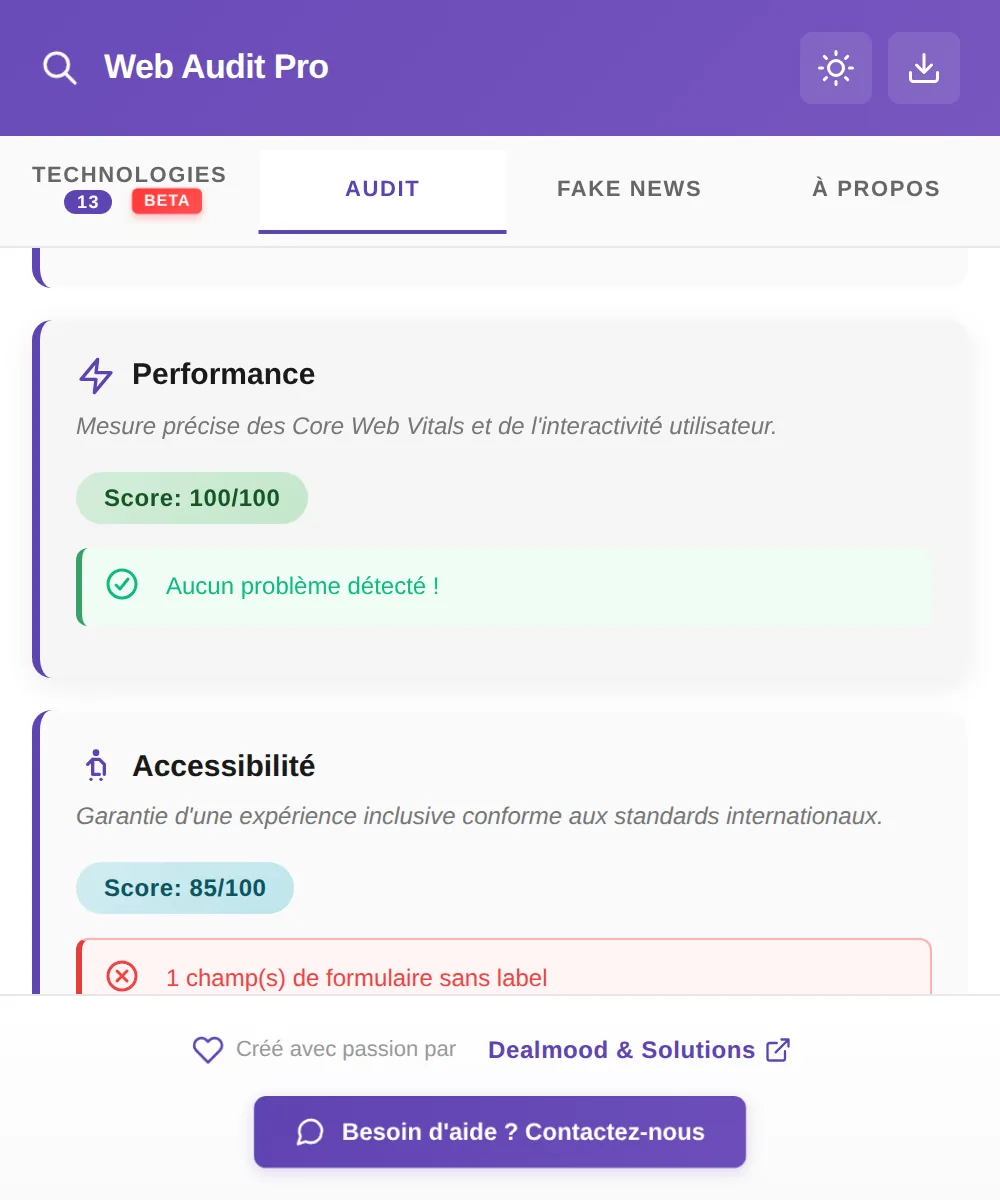
Web Audit Pro: performance and accessibility scores
Performance and accessibilityMeasured Core Web Vitals and accessibility issues listed one by one.
Web Audit Pro: EcoIndex eco-design score with carbon and water footprint
Eco-designEcoIndex score and estimated CO₂ and water footprint per visit.
Web Audit Pro: technologies detected on a website
Detected technologiesFrameworks, hosting, CDN, analytics and tags, versions included.
Web Audit Pro: competitor comparison and multi-page audit
Comparison and multi-page auditCompare with a competitor or audit up to 8 pages of the website.

The scores

Three ways to read the same website

An overall score for the essentials, a digital maturity index for the big picture, and an EcoIndex grade for the environmental footprint.

Overall score

The average of the available categories, along with what it means.

  • Elite Excellence 90 and above
  • High Performance 70 and above
  • Average / Needs optimization 50 and above
  • Critical below 50

Digital maturity

A weighted average across 9 pillars, recalculated if one of them is missing. The breakdown by pillar is displayed.

  • SEO18%
  • Performance18%
  • Security18%
  • Accessibility13%
  • GDPR / nFADP10%
  • Best practices9%
  • Conversion9%
  • Digital sobriety8%
  • Structured data5%
Digital beginner · below 40 In transition · 40 and above Digitalized · 60 and above Digital excellence · 80 and above

EcoIndex

The benchmark method for web eco-design, applied with its official thresholds. A grade from A to G, converted into CO₂e emissions and water consumption per visit.

ABCDEFG
  • Three measurements: DOM size, number of requests and data transferred
  • Data transferred measured in the browser, or estimated when that isn’t possible
  • One practical tip for each measurement
  • The Eco-design category score is the EcoIndex itself

Local AI

Six AI models, on your computer

The models train directly on your machine the first time you launch it, from built-in corpora, then warm up in the background. No calls to any external AI service.

Continuous learning, locally

With every audit, the AI grows its own corpus on your computer. It stays cautious: an example is only kept if two independent sources agree, with deduplication and a size cap.

Model 1

Sensationalism

Assesses the page’s editorial credibility and feeds the Fake News tab.

Model 2

Priority

Ranks each action as high, medium or low priority, within a fixed rule: the AI can only deviate from it by one level.

Model 3

Scams & phishing

Spots signs of scams and phishing in the analyzed content.

Model 4

Keyword stuffing

Detects over-optimization of the title, description and H1.

Model 5

Effort

Estimates the effort of each recommended action: low, medium or high.

Model 6

Disinformation

Matches content against a database of known hoaxes: health, climate, 5G, cryptocurrencies…

Dedicated tab

Fake News Detector

Paste a text or an article’s URL: the page is fetched locally, then analyzed.

  • A score combining local AI with explainable linguistic signals
  • Matching against a database of known hoaxes (health, climate, 5G, cryptocurrencies…)
  • Four graded verdicts, plus a special case for satirical websites

Beyond the audit

Prioritize, explore,
compare and track.

The extension opens on four tabs — Technologies, Audit, Fake News and About — in dark or light mode. Here’s everything it does on top of the scores.

Action plan

The fixes that matter most, ranked for you, across categories scoring below 85, starting with the weakest.

  • Up to 5 concrete suggestions
  • High, medium or low priority, plus an effort badge
  • The action to take and its expected impact
  • A level the client can understand: critical, high, medium or low

Crawling up to 8 pages

Beyond the open page, the extension discovers the website’s pages and calculates an average score.

  • Pages found via the sitemap, or internal links as a fallback
  • Mini SEO and performance audit of each page
  • Average website score

Competitor comparison

Audit a competitor’s website without leaving your tab, then compare category by category.

  • Competitor audit in a background tab
  • “You” vs. competitor table
  • Winner highlighted in each category

Technology detection

Around 170 recognized technologies across 29 categories, with their version when it can be detected.

  • CMS, E-commerce, Frameworks, Analytics, CDN, Servers, Consent, Payment, Authentication, Advertising…
  • Cross-checked signals: page structure, cookies, HTTP headers and page variables

History and trends

Every audit is saved so you can track a website’s progress over time.

  • Up to 30 audits per URL and 50 tracked URLs
  • Difference from the previous audit
  • Score trend chart
  • Results cached for 10 minutes to avoid unnecessary analyses

Bilingual messages

The analyzers’ findings are written in French and English, and the interface follows the browser’s language.

  • Findings in French and English
  • Dark mode and light mode

Exports

A client report under your brand

The PDF report is generated right in the browser, ready to hand over to a client. The JSON and Markdown exports feed your own tools.

The client PDF, page by page

  1. 1Cover page, automatic table of contents and website overview
  2. 2Summary: overall score, digital maturity, bars per category, strengths and weaknesses, top 3 priorities
  3. 3Detailed analysis of each issue: impact on visitors, business impact, solution
  4. 4Sections by area and summary table
  5. 5Improvement plan ranked by priority, with estimated effort
  6. 6Final recommendations and a “Your contact” block

Client information

Entered before export to put the report in context.

AuditorWebsite descriptionIndustryGoalTarget audienceWebsite role

White-label

Your colors and your identity on every report, stored only in your browser.

Company nameSignatureWebsiteAccent colorPNG or JPG logo

Data exports

  • JSON — the full raw export of the audit, for your scripts and dashboards.
  • Markdown — scores and issues by category, ready to paste into a ticket, a wiki or an email.

Usage

An auditor that stays with you over time

A one-off audit says nothing about a website’s trajectory. Web Audit Pro is used at three key moments in the life cycle of a web project.

Before going live

Validate a website before launch

Clean SEO, sound accessibility, security headers and GDPR/nFADP compliance in place: check that a website is ready before launch.

With a client

Make your case with facts

Compare their website with a competitor’s and hand them a white-label PDF report, clear and prioritized by topic.

Over time

Track progress

Run a new audit after each update and track how your scores evolve with the history.

Who it’s for

Built for the people who build the web

Web agencies

Branded PDF reports, handed to clients after every audit or redesign.

Freelancers

A full audit in one click to qualify a prospect and price the fixes.

SMEs, small businesses and nonprofits

Understand where their website stands and what to fix first, without the jargon.

Public bodies and platforms

Audit a portfolio of websites automatically with the self-hostable HTTP API.

Feature #02

A local engine, built-in AI

Instead of sending your audits to a remote server, Web Audit Pro relies on an analysis engine installed directly on your Windows computer. The extension talks to it locally, and the six AI models backing it also run on your machine.

An architecture designed for privacy: your audits, and your clients’ audits, stay with you.

  • The analysis and the AI run on your computer
  • Page data is only sent to the local engine
  • The only network requests go to the audited website
  • History, settings and white-label branding stored locally in the browser

SSRF protection

The engine refuses to act as a relay into your internal network, even if an audited website tries to push it there.

  • Private IP addresses blocked
  • Protection against DNS rebinding
  • Every redirect revalidated

Fallback mode without the engine

Without the local engine, the extension still runs an audit in the browser.

  • SEO, performance, accessibility, best practices, security
  • Links, structured data, readability and EcoIndex
  • AI, crawling and the action plan remain exclusive to the local engine

Self-hostable HTTP API

The same engine can run as an HTTP service on your own infrastructure, so you can automate your audits.

  • Analysis endpoint and health check
  • Optional API key
  • Ideal for auditing a portfolio of websites

Availability

Where Web Audit Pro stands

The extension works, but it isn’t published on the browser stores yet. We’d rather tell you upfront.

Coming soon

Store release

Web Audit Pro isn’t published on the Chrome Web Store or Microsoft Edge Add-ons yet. In the meantime, the extension is installed in developer mode, on request.

Requirement

A Windows computer

The analysis engine is installed on your Windows computer: it runs the audits and the built-in AI, locally.

What you need to know

Before requesting access, here are the requirements and how the extension works:

  • Google Chrome or Microsoft Edge
  • Extension installed in developer mode, on request
  • Local engine on Windows, with a .NET 8 runtime
  • Without the engine: fallback mode, directly in the browser
  • Permissions: active tab, local storage, communication with the local engine, access to the websites being audited
  • Findings written in French and English
Request early access

FAQ

Everything about Web Audit Pro

Not yet. The extension works on Google Chrome and Microsoft Edge, but isn’t published on their stores yet. In the meantime, we install it in developer mode, on request: write to us to get early access.

Early access

Audit your website in one click

Web Audit Pro isn’t on the stores yet: write to us to get early access and be among the first to use it. Your feedback directly shapes our next updates.