

Kotlin Multiplatform (KMP): architecture, internal operation, and shared code between Android and iOS
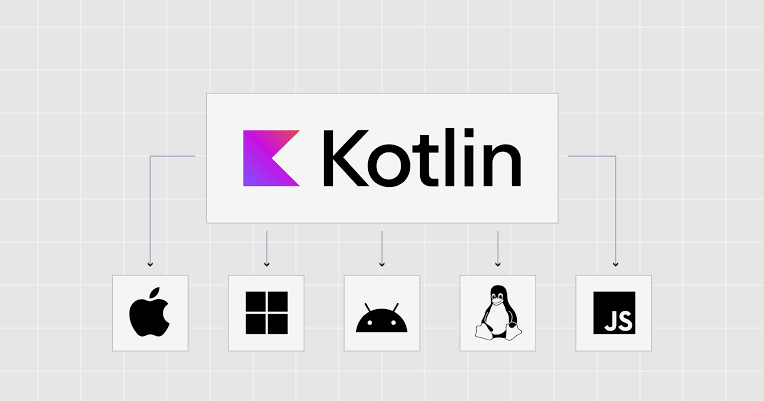
Kotlin Multiplatform (KMP) allows code sharing between Android, iOS, and other platforms without imposing a single architecture on all applications. Discover its architecture, source sets, the role of the Kotlin compiler, how Kotlin/JVM and Kotlin/Native work, interoperability with Swift, and the mechanisms that allow shared code to communicate with native APIs.
Contents
- Kotlin Multiplatform (KMP): architecture, internal operation, and shared code between Android and iOS
- Introduction
- 1. What is Kotlin Multiplatform?
- Simple example
- 2. Is KMP a graphical interface framework?
- With KMP without shared interface
- With KMP and Compose Multiplatform
- 3. The Fundamental Architecture of Kotlin Multiplatform
- 3.1. Compilation targets: targets
- 3.2. Source sets: organizing code according to platforms
- 3.3. Intermediate source sets
- 3.4. How does KMP gather source sets?
- 4. What happens under the hood: how Kotlin code becomes executable
- 4.1. Step 1: The developer writes the common code
- 4.2. Step 2: Gradle configures the project
- 4.3. Step 3: The compiler analyzes the code
- 4.4. Step 4: Code is compiled for each target
- Android path
- iOS path
- 4.5. Step 5: The shared code runs in its target environment
- 5. How does shared code access native features?
- 5.1. First approach: interfaces and dependency injection
- 5.2. Second approach: `expect` and `actual`
- 5.3. What `expect` and `actual` do not do
- 6. How does Kotlin Multiplatform communicate with Swift?
- Conceptual example
- What if the project uses SwiftUI?
- 7. What responsibilities should be shared in a KMP architecture?
- The business logic
- Models and use cases
- Network access
- Data persistence
- Job tests
- 8. Example of an Android and iOS app architecture with KMP
- 9. What really happens when a user uses the app?
- Step 1: The interface retrieves data
- Step 2: The application calls shared logic
- Step 3: The network layer executes the query
- Step 4: The server processes the request
- Step 5: The shared module processes the result
- Step 6: The interface displays the result
- 10. Is Kotlin Multiplatform more powerful than a hybrid framework?
- 11. What are the advantages and limitations of KMP?
- The advantages
- The limits
- 12. When should you choose Kotlin Multiplatform?
- Conclusion
Kotlin Multiplatform (KMP): architecture, internal operation, and shared code between Android and iOS
Introduction
In mobile development, maintaining an Android app and an iOS app often involves evolving two distinct codebases. The same business rule can be implemented twice, processing may gradually diverge, and tests must be reproduced across multiple platforms.
It is to address this type of issue that Kotlin Multiplatform, generally abbreviated as KMP, makes perfect sense.
Developed by JetBrains, Kotlin Multiplatform is a technology that allows code sharing across multiple platforms, including Android, iOS, desktop applications, the web, and server environments, depending on the target audience and libraries used.
But KMP is not just about writing Kotlin once to run it everywhere.
Its architectural interest is more specific: it allows sharing of processes that may be common while retaining the ability to use technologies, libraries, and APIs specific to each platform.
An Android app can thus use Kotlin/JVM and Android APIs, while an iOS app can use the same business code compiled into native code and integrate it into its Swift and Apple environments.
This approach raises several important questions:
- How can the same Kotlin code work on different platforms?
- What does the compiler actually do?
- Why doesn't shared code freely use all Android or Java APIs?
- How can a Kotlin function be called from Swift?
- What is the role of
commonMain,androidMainandiosMain? - Does KMP also share the graphical interface?
- What exactly happens when you compile and launch an application?
To answer these questions, you need to examine KMP from its architecture to its internal workings.
1. What is Kotlin Multiplatform?
Kotlin Multiplatform is a cross-platform development technology that allows reusing Kotlin code across multiple build targets.
The principle is simple: instead of systematically rewriting the same business rules in each application, you can place them in a shared module.
Imagine an e-commerce app available on Android and iOS.
Both applications must calculate the total price of a cart, apply the same discount rules, validate the entered data, and interpret a server's responses.
These treatments can generally be shared, as their logic does not depend directly on the operating system.
However, some operations are specific to each platform. Opening certain system interfaces, integrating with Apple APIs, or managing Android components may require separate code.
KMP precisely allows these responsibilities to be separated.
Simple example
Let's imagine the app has to calculate the price of a cart:
data class Product(
    val name: String,
    val price: Double
)

fun calculateTotal(products: List<Product>): Double {
    return products.sumOf { it.price }
}
This function is written in Kotlin and does not depend on a specific Android or Apple API.
It can therefore be placed in the project's common code.
The same processing can be compiled for the Android and iOS targets declared in the project. There is no need to rewrite the algorithm in Java or Swift to achieve the same result.
Warning: in a real-world application, using for Double monetary calculations requires caution. An entire representation in minimum monetary units or a suitable decimal library is generally preferable.
The example nevertheless illustrates KMP's fundamental principle: share the logic, not necessarily the entire application.
2. Is KMP a graphical interface framework?
No. That's an essential distinction.
Kotlin Multiplatform mainly allows code sharing. It does not dictate by itself how to build the graphical interface.
Two technologies must be distinguished.
Kotlin Multiplatform (KMP) allows code sharing across multiple platforms.
Compose Multiplatform (CMP) is a declarative interface framework that also allows sharing the graphical interface across supported platforms.
These technologies can be used together, but they do not mean the same thing.
With KMP without shared interface
The app can keep an Android interface developed with Jetpack Compose or traditional Android views, and an iOS interface developed with SwiftUI or UIKit.
Both interfaces use the same Kotlin module for business rules, validations, templates, and certain technical processing.
The architecture then looks like this:
             APPLICATION MOBILE

       ANDROID                 iOS
    ┌─────────────┐      ┌─────────────┐
    │ Interface   │      │ Interface   │
    │ Jetpack     │      │ SwiftUI     │
    │ Compose     │      │ ou UIKit    │
    └──────┬──────┘      └──────┬──────┘
           │                    │
           └─────────┬──────────┘
                     │
             MODULE KMP PARTAGÉ
          ┌──────────────────────┐
          │ Logique métier       │
          │ Validation           │
          │ Modèles              │
          │ Cas d'utilisation    │
          │ Accès aux données    │
          └──────────────────────┘
Interfaces remain system-specific, but common processing is not duplicated.
With KMP and Compose Multiplatform
It is also possible to share a significant part of the interface.
In this case, screens and visual components are written in Kotlin with Compose Multiplatform, then run on supported platforms.
This can further reduce interface code duplication, but it involves other considerations regarding integration, rendering, accessibility, and user experience.
The choice therefore depends on the project.
KMP allows sharing logic. Compose Multiplatform also allows sharing the interface. It is possible to adopt one without necessarily adopting the other.
3. The Fundamental Architecture of Kotlin Multiplatform
To understand KMP, you need to examine the different levels that make up a project.
Its architecture is based in particular on build targets, source sets, cross-platform dependencies, and platform-specific implementations.
3.1. Compilation targets: targets
A target, or target, tells the compilation system the platform for which the code should be prepared.
Depending on the project and the versions of tools used, one can declare targets such as Android/JVM, iOS, JVM, JavaScript, WebAssembly, or certain desktop platforms.
Each target notably determines:
- The format of the compiled result.
- The available libraries and APIs.
- Compatibility constraints.
- The required compilation operations.
- Interoperability possibilities with the platform.
Let's take a project targeting Android and iOS.
The developer declares the corresponding targets in the Kotlin Multiplatform configuration.
The common code will then be integrated into the compilation of each target.
This does not mean that the compiler produces a single binary file compatible with Android and iOS. It produces results tailored to the declared targets.
Source code can be shared, but compiled artifacts differ depending on the platform.
3.2. Source sets: organizing code according to platforms
A source set is a set of source files associated with build targets and dependencies.
This is one of the most important concepts of KMP.
A mobile project can notably contain the following source sets:
shared/
└── src/
    ├── commonMain/
    ├── commonTest/
    ├── androidMain/
    ├── androidUnitTest/
    ├── iosMain/
    └── iosTest/
Each directory has a particular role.
'commonMain'
It contains code intended to be shared among all compatible targets.
It generally includes templates, business rules, use cases, service interfaces, and processing that do not depend on a platform-specific API.
'commonTest'
It contains common tests that can be run on the affected targets.
It notably allows verification of business rules and shared behaviors.
'androidMain'
It contains the code specific to Android.
You can notably use Android APIs and JVM dependencies compatible with the project configuration.
'iosMain'
It contains the code specific to the iOS platforms targeted by the project.
It notably allows access to Apple APIs available through Kotlin/Native.
Specific test source sets
They allow you to write tests that depend on the tools or APIs specific to each platform.
The separation between common code and specific code is not just a storage convention. It directly influences usable APIs and dependencies available during compilation.
3.3. Intermediate source sets
In a more complex project, sharing does not necessarily concern all platforms.
Imagine a treatment common to iOS, macOS, and watchOS, but it uses APIs available only within the Apple ecosystem.
It would be impractical to duplicate this processing in each source set.
KMP then allows the use of an intermediate source set, for example appleMain, to group shared code among the relevant Apple targets.
The hierarchy becomes:
commonMain
    │
    ├── androidMain
    │
    └── appleMain
          ├── iosMain
          ├── macosMain
          └── watchosMain
This diagram is illustrative: the actual hierarchy depends on the configured targets and source sets.
The advantage is to share code at the appropriate level, without artificially imposing identical code on all platforms.
3.4. How does KMP gather source sets?
When a target is compiled, the compilation system selects the source sets that contribute to that target, respecting their hierarchy and dependencies.
For an iOS build, common code, compatible intermediate source set code, and target-specific code are taken into account.
For Android, the common code and sources intended for the Android target are selected.
Dependencies must also be compatible with the target audience.
Thus, the compiler can verify that a file placed in commonMain does not directly depend on a class that exists only in the Android environment.
This organization makes code sharing possible while preventing certain incompatible dependencies from entering the common code.
4. What happens under the hood: how Kotlin code becomes executable
This is where KMP becomes particularly interesting.
A developer can write a Kotlin function in a shared module, but this function does not necessarily run the same way on Android and iOS.
The difference comes from the compilation process and the runtime environment of each target.
4.1. Step 1: The developer writes the common code
Imagine the shared module contains this function:
fun calculateDiscount(
    price: Double,
    percentage: Double
): Double {
    return price * percentage / 100.0
}
This feature does not depend on any API specific to Android or iOS.
It can therefore be compiled for multiple compatible targets.
The developer writes the rule only once.
4.2. Step 2: Gradle configures the project
In a typical KMP project, Gradle orchestrates the construction process.
The project configuration notably includes:
- The plugins used.
- Build targets.
- The source sets.
- The outbuildings.
- Build options.
- Construction and testing tasks.
When asked to build the Android app or iOS framework, Gradle performs the necessary tasks to prepare the corresponding artifacts.
It does not turn Kotlin code into machine instructions itself. It coordinates compilation tools and construction steps.
4.3. Step 3: The compiler analyzes the code
The Kotlin compiler analyzes the source files, checks the syntax and types, then prepares an internal representation of the program for the next steps.
It also checks the constraints related to cross-platform claims and APIs accessible from each source set.
For example, this code is not suitable for commonMain :
import java.io.File

fun readFile(): String {
    return File("message.txt").readText()
}
The reason is simple: java.io.File it belongs to the Java/JVM environment. It is not available on all Kotlin Multiplatform targets, especially native iOS targets.
If this operation is to be common, an appropriate abstraction or cross-platform library must be used. If it is platform-specific, it must be implemented in the appropriate source set.
This verification is one of KMP's fundamental mechanisms.
4.4. Step 4: Code is compiled for each target
The compiler uses a backend adapted to the declared target.
For Android, Kotlin code is generally compiled into JVM bytecode, then integrated into the Android build process.
For iOS, Kotlin/Native compiles Kotlin code to native binaries, using an LLVM-based build chain.
The two paths are different.
Android path
Code Kotlin partagé
        ↓
Compilation Kotlin/JVM
        ↓
Bytecode JVM (.class)
        ↓
Construction de l'application Android
        ↓
DEX / APK ou App Bundle
        ↓
ART sur l'appareil Android
This diagram represents the general path of an Android application using Kotlin/JVM.
The JVM bytecode produced by Kotlin is transformed and integrated into the Android executable format. On the device, the Android Runtime (ART) executes the code according to platform mechanisms.
Therefore, JVM bytecode should not be confused with the DEX format used in Android applications.
iOS path
Code Kotlin partagé
        ↓
Compilateur Kotlin
        ↓
Backend Kotlin/Native
        ↓
Chaîne de compilation LLVM
        ↓
Binaire natif / framework
        ↓
Intégration dans l'application iOS
        ↓
Exécution sur iPhone ou iPad
For iOS, the Kotlin code is compiled into native code adapted to Apple's target audience.
It does not require a JVM virtual machine to run the shared Kotlin code.
The result can notably be distributed as a native framework integrated into the iOS project.
It should be noted that the exact artifacts and steps depend on the target, the configuration, and the construction chain used.
4.5. Step 5: The shared code runs in its target environment
On Android, shared code works in the Android/JVM environment.
On iOS, it runs as native code produced by Kotlin/Native.
In both cases, the business logic can be identical, but its technical integration is not the same.
This is precisely what allows KMP to reconcile code reuse with platform integration.
KMP does not simply run a universal program in a common layer: it adapts the shared code to declared compilation targets.
5. How does shared code access native features?
Common code cannot directly use all APIs available on Android or iOS.
Let's take a simple need: retrieving device-specific information.
On Android, this information can be obtained with an Android API. On iOS, it may require an Apple API.
KMP offers several ways to organize this difference.
5.1. First approach: interfaces and dependency injection
This is often the most flexible approach.
The common code defines an interface:
interface DeviceInfoProvider {
    fun getDeviceName(): String
}
The common code can then use this interface without knowing the technical implementation.
Each platform provides its own implementation.
For example, Android can leverage certain Android APIs, while iOS can use the appropriate Apple APIs.
An implementation is then provided to the code that needs it, for example by injecting dependencies.
This approach also facilitates testing, since a mock implementation can be provided without accessing a real device.
5.2. Second approach: `expect` and `actual`
Kotlin Multiplatform also has a mechanism to declare an expected feature in the common code and provide a specific implementation for the target audience.
This mechanism relies on the keywords expect and actual.
In commonMain :
expect fun getPlatformName(): StringThis statement indicates that an appropriate implementation must be available for targets using this feature.
In androidMain :
actual fun getPlatformName(): String {
    return "Android"
}
In iosMain :
actual fun getPlatformName(): String {
    return "iOS"
}
The common code can then call the function:
fun greeting(): String {
    return "Bonjour depuis ${getPlatformName()}"
}
The business code uses only one function, but the selected implementation depends on the compiled target.
This is not a magic function that arbitrarily detects the system with every call. The match between expected statements and implementations is established within the framework of cross-platform compilation.
This approach is useful for certain platform differences. However, it should not be used systematically: a classic interface is often sufficient and offers more flexibility when managing multiple implementations.
5.3. What `expect` and `actual` do not do
These mechanisms do not automatically make all Android or Apple APIs available in commonMain.
If an application is to use the camera, Bluetooth, or a particular system API, it must always have a suitable implementation, a compatible library, or an appropriate interoperability mechanism.
expect and actual allow organizing the common contract and its implementations. They do not replace system APIs or the necessary permissions.
6. How does Kotlin Multiplatform communicate with Swift?
This question is especially important when developing an iOS app.
Kotlin and Swift are two different languages, associated with distinct compilation environments.
To use shared Kotlin code in an iOS app, the project can produce a native framework exposing the necessary Kotlin statements.
The iOS project can then integrate this framework and call the elements it exposes.
The general process is as follows:
- The developer writes the shared code in Kotlin.
- Kotlin/Native compiles this code for the Apple target.
- The build process produces a framework or another native artifact suitable for integration.
- The iOS project references this artifact.
- Swift calls the APIs exposed by the framework.
Interoperability relies on native mechanisms provided by the Apple ecosystem, notably the Objective-C interfaces used to expose the Kotlin framework to Swift projects.
However, it should not be assumed that each Kotlin declaration automatically becomes a perfectly idiomatic Swift API. The visibility of declarations, exposed types, and API representation must be taken into account.
Conceptual example
The shared module defines:
class PriceCalculator {
    fun calculate(price: Double, tax: Double): Double {
        return price * (1.0 + tax / 100.0)
    }
}
Once the module is compiled and integrated into the iOS project, Swift can use the type exposed by the framework to perform the calculation.
The advantage is that the calculation rule is maintained in Kotlin, whereas the interface and the rest of the iOS app can remain written in Swift.
The exact name of the symbols accessible from Swift depends on the framework configuration and interoperability rules.
What if the project uses SwiftUI?
It is entirely possible.
SwiftUI can remain responsible for the interface. The Swift code then calls the shared module to perform business processing.
For example, a SwiftUI screen can retrieve products entered by the user, call the Kotlin calculator, and display the total obtained.
The interface remains native to the Apple ecosystem, while the compute logic is shared.
This is one of KMP's most interesting architecture models: sharing code that benefits from sharing without imposing a single interface on all platforms.
7. What responsibilities should be shared in a KMP architecture?
A good KMP architecture does not consist of moving all files into a common module.
It is necessary to determine which responsibilities can actually be pooled.
For a mobile app, the following are often good candidates.
The business logic
Calculation rules, validations, pricing policies, and management rules can be shared when they do not depend on a platform.
This helps avoid discrepancies between the Android and iOS versions.
Models and use cases
Business objects, operational outcomes, and use cases can be common.
A commerce application can, for example, share the rules that determine whether a cart can be validated.
Network access
HTTP requests, data models, and certain serialization operations can be shared using libraries compatible with the relevant targets.
Ktor is an example of a cross-platform library for building network clients.
However, common code should not be considered automatically compatible with any Java library. Dependencies must support the targets for which the module is intended.
Data persistence
It is also possible to share part of the access to local data with suitable cross-platform libraries.
However, library compatibility, storage differences, and constraints of each system must be evaluated.
Job tests
Common rule tests can be written only once and run on the relevant targets.
This makes it easier to detect discrepancies and strengthen the reliability of shared code.
On the other hand, integration tests with the camera, notifications, or system APIs must take into account behaviors specific to each platform.
8. Example of an Android and iOS app architecture with KMP
Imagine we were developing a messaging application.
The goal is to share business rules and network exchanges while maintaining interfaces adapted for Android and iOS.
One possible architecture would be:
                    APPLICATION MOBILE
                            │
              ┌─────────────┴─────────────┐
              │                           │
          ANDROID                       iOS
              │                           │
       Jetpack Compose                 SwiftUI
              │                           │
              └─────────────┬─────────────┘
                            │
                    MODULE KMP PARTAGÉ
                            │
              ┌─────────────┴─────────────┐
              │                           │
         Logique métier              Couche données
              │                           │
       Cas d'utilisation            Client HTTP
       Validation                   Sérialisation
       Modèles                      Repository
              │                           │
              └─────────────┬─────────────┘
                            │
                      API distante
In this architecture:
- Android retains its own Android-specific interface and integration.
- iOS retains its Apple-specific interface and integration.
- The KMP module centralizes common rules.
- The network layer pools compatible operations.
- The server retains responsibility for the data and processing that belong to it.
It should be noted that such a scheme is an architectural possibility, not a structure imposed by KMP.
A project can share more components, including the graphical interface with Compose Multiplatform, or on the contrary, limit the common module to a few business rules.
The important thing is to clearly define the responsibilities of each layer.
9. What really happens when a user uses the app?
To understand how it works beyond compilation, let's take an example of connecting to an application.
The user enters their email address and password, then presses the login button.
Step 1: The interface retrieves data
On Android, the screen can be developed with Jetpack Compose.
On iOS, it can be developed with SwiftUI.
Each interface collects the entered information and triggers the connection action.
Step 2: The application calls shared logic
The interface transmits the data to the component responsible for the connection.
This component can be written in Kotlin in the KMP module.
They apply common validations, prepare the operation, and coordinate data access.
Step 3: The network layer executes the query
If the shared module uses a cross-platform library like Ktor, it can send an HTTP request to the server.
The network engine used depends on the platform and the client's configuration.
The trade code may remain common even if the technical mechanisms used under the hood differ.
Step 4: The server processes the request
The server verifies the information according to its security rules and returns a result.
Client-side validation improves the user experience, but it never replaces server-side validation.
Step 5: The shared module processes the result
Kotlin code interprets the response, transforms the data, and exposes a result to the application.
Common rules can thus remain consistent between Android and iOS.
Step 6: The interface displays the result
Android and iOS present the result with their respective components.
The user can therefore benefit from an experience tailored to each platform, even if part of the processing was written only once.
This example illustrates the value of KMP: sharing treatments without forcing all layers to be identical.
10. Is Kotlin Multiplatform more powerful than a hybrid framework?
Several aspects must be distinguished: execution time, system access, interface rendering, and development speed.
KMP allows compiling shared code according to the mechanisms of the target platform. On Android, Kotlin/JVM code integrates into the Android environment. On iOS, Kotlin/Native produces native code.
This architecture avoids the need to run all shared logic in a Java virtual machine on iOS.
However, this does not mean that KMP is automatically faster than all hybrid or cross-platform frameworks.
Performance depends in particular on:
- Of the algorithm used.
- Memory management.
- Network and disk access.
- Libraries used.
- Application architecture.
- The way the interface is rendered.
- Characteristics of the targeted devices.
KMP should also be distinguished from a framework that provides a cross-platform graphical interface. When Compose Multiplatform is used, rendering and interface integration are a separate matter from business code compilation.
The main architectural advantage of KMP is therefore the ability to share code while maintaining platform-appropriate integration. Performance must be measured against the actual operations of the project.
11. What are the advantages and limitations of KMP?
The advantages
Reducing code duplication
Business rules and common treatments do not necessarily have to be rewritten for each platform.
Functional consistency
Android and iOS apps can use the same validation rules and business algorithms.
Conservation of native technologies
Teams can keep Jetpack Compose or Android views on Android, and SwiftUI or UIKit on iOS.
Gradual integration
It is possible to introduce KMP into an existing project starting with a limited module, without immediately rewriting the entire application.
Common tests
Shared business rules can be tested consistently across the relevant targets.
Architectural flexibility
The project can only share elements that provide real value, without imposing a completely common codebase.
The limits
Construction complexity
Gradle configuration, targets, dependencies, and build chains can make the project more complex than a single-platform application.
Interoperability with iOS
Integration between Kotlin/Native and Swift requires understanding API exposure rules and the constraints of the Apple ecosystem.
Library availability
Not all Kotlin or Java libraries are compatible with all KMP targets.
System specifics management
Some features still require code specific to Android or iOS.
Non-automatic interface sharing
KMP does not mean that screens are automatically shared. For this, you need to adopt a cross-platform interface solution like Compose Multiplatform.
Architectural compromises
Sharing code is not always advantageous. An interface, feature, or component that is highly dependent on the system can be easier to maintain when it remains platform-specific.
12. When should you choose Kotlin Multiplatform?
KMP is particularly interesting when a team wants to share some of the logic between Android and iOS while maintaining mastery of the technologies specific to each platform.
It is especially suitable for projects that already have native applications and want to reduce duplication of business processes.
It can also be adapted to a new application when teams want to centralize business rules, network access, and certain technical components.
On the other hand, if the main goal is to develop a single interface for multiple platforms, Compose Multiplatform and other cross-platform interface frameworks should also be evaluated.
The choice therefore depends on the desired level of sharing.
A team can decide to share only the business templates and rules, then gradually extend KMP to network access, persistence, and other components.
This progression allows measuring the real benefits before increasing the complexity of the project.
Conclusion
Kotlin Multiplatform is much more than a way to write reusable Kotlin code. It is a technology that allows organizing code sharing by platform, compiling common components for different environments, and maintaining access to APIs specific to each system.
Its architecture is based in particular on compilation targets, source sets, compatible dependencies, interoperability mechanisms, and, when necessary, specific implementations.
Under the hood, shared code follows a build path adapted to each platform: Kotlin/JVM for the Android/JVM environment and Kotlin/Native for native targets such as iOS.
Common code therefore does not become a universal binary. It is integrated into artifacts adapted to the targeted platforms.
It is this approach that allows combining code reuse, architectural flexibility, and native integration.
Ultimately, the strength of Kotlin Multiplatform is not to eliminate all differences between Android and iOS. It lies in intelligently sharing what can be shared while retaining the freedom to exploit the specifics of each platform.